
เบลอใบหน้าและป้ายทะเบียน
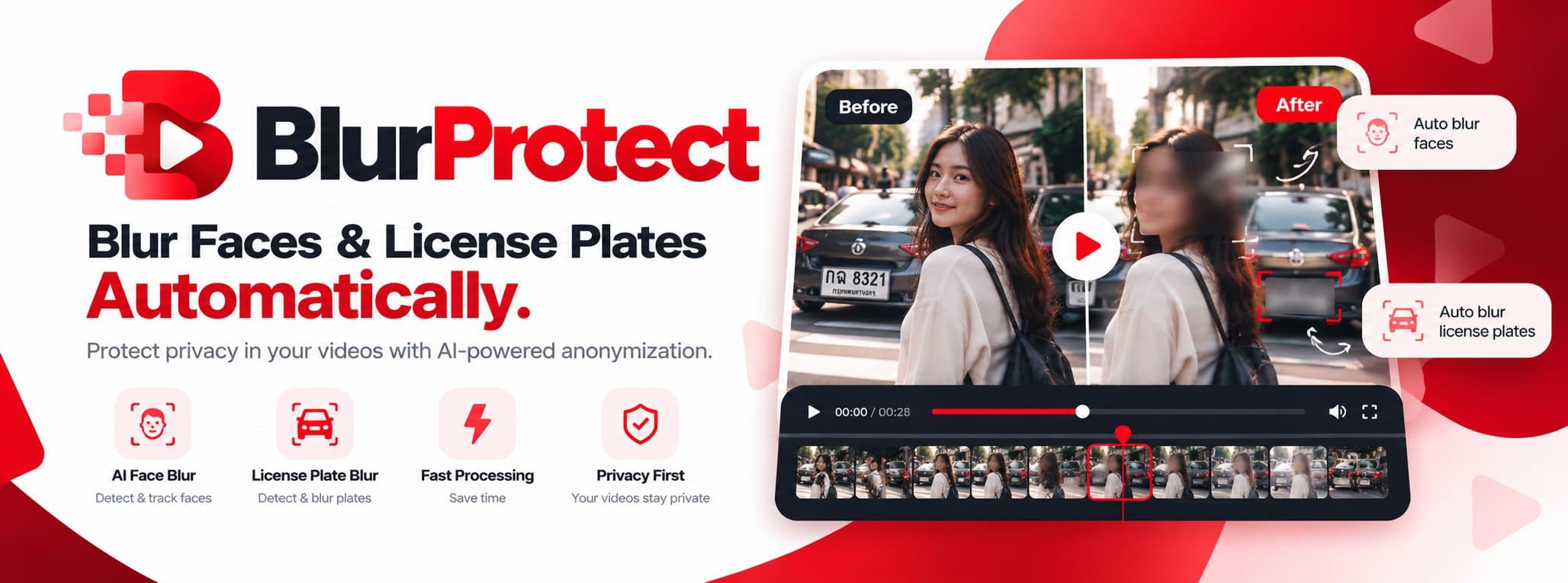
ในวิดีโออัตโนมัติBlur Faces & License Plates Automatically.
ปกป้องความเป็นส่วนตัวในวิดีโอของคุณด้วย AI — อัปโหลด ให้ AI ตรวจจับ เบลอ แล้วดาวน์โหลดProtect privacy in your videos with AI-powered anonymization.
ใช้งานอย่างไรHow it works
อัปโหลดวิดีโอUpload video
ลากไฟล์ MP4, MOV หรือ WebM มาวางDrop an MP4, MOV or WebM file.
เลือกสิ่งที่ต้องการเบลอChoose what to blur
ใบหน้า ป้ายทะเบียน หรือทั้งสองอย่างFaces, license plates, or both.
AI ตรวจจับและเบลอAI detects & blurs
ระบบตรวจจับ ติดตาม และเบลอทุกเฟรมDetection, tracking and blur on every frame.
ตรวจดูและดาวน์โหลดPreview & download
ดูตัวอย่างแล้วดาวน์โหลด MP4 พร้อมเสียงเดิมPreview, then download MP4 with original audio.
ฟีเจอร์Features
เบลอใบหน้าด้วย AIAI Face Blur
ตรวจจับและติดตามใบหน้าในทุกเฟรม แล้วเบลอให้อัตโนมัติDetect & track faces frame by frame.
เบลอป้ายทะเบียนLicense Plate Blur
ซ่อนป้ายทะเบียนรถจากฟุตเทจถนน แดชแคม และ CCTVHide plates in street, dashcam and CCTV footage.
ติดตามอัตโนมัติAutomatic Tracking
จุดเบลอเคลื่อนตามวัตถุอย่างนิ่ง ไม่สั่นStable masks that follow moving objects.
ประมวลผลรวดเร็วFast Processing
ประมวลผลเบื้องหลัง ประหยัดเวลา รองรับไฟล์ใหญ่Background processing that saves time.
เน้นความเป็นส่วนตัวPrivacy First
ไฟล์เป็นส่วนตัว ลิงก์หมดอายุ ลบอัตโนมัติYour videos stay private.
รองรับทีมและหลายองค์กรTeams & Workspaces
แยกข้อมูลแต่ละองค์กร พร้อมบทบาทผู้ใช้Isolated workspaces with roles.
คำถามที่พบบ่อยFrequently asked questions
BlurProtect คืออะไร? · What is BlurProtect?
BlurProtect คือบริการออนไลน์ที่ใช้ AI ตรวจจับและเบลอใบหน้าและป้ายทะเบียนรถในวิดีโอโดยอัตโนมัติ เพียงอัปโหลด ระบบจะตรวจจับ ติดตาม และเบลอให้ แล้วดาวน์โหลดเป็นไฟล์ MP4
BlurProtect is an online AI service that automatically detects and blurs faces and vehicle license plates in videos: upload, the AI detects, tracks and blurs, then you download an MP4.
จะเบลอหน้าคนในวิดีโอได้อย่างไร? · How do I blur faces in a video?
1) อัปโหลดวิดีโอ MP4, MOV หรือ WebM 2) เลือก 'เบลอใบหน้า' และ/หรือ 'เบลอป้ายทะเบียน' 3) กดเริ่มประมวลผล 4) ตรวจดูผลลัพธ์และดาวน์โหลด
1) Upload an MP4, MOV or WebM video 2) choose blur faces and/or license plates 3) start processing 4) preview the result and download.
รองรับไฟล์แบบไหนและขนาดเท่าไร? · Which formats and file sizes are supported?
รองรับ MP4, MOV และ WebM ขนาดสูงสุดขึ้นอยู่กับแพ็กเกจ ตั้งแต่ 500 MB (ฟรี) ถึง 5 GB (Business) ผลลัพธ์เป็น MP4 (H.264/AAC) และเก็บเสียงต้นฉบับไว้
MP4, MOV and WebM. Maximum size depends on plan, from 500 MB (Free) to 5 GB (Business). Output is MP4 (H.264/AAC) with the original audio preserved.
วิดีโอของฉันถูกเก็บไว้นานแค่ไหน? · How long are my videos stored?
ไฟล์ต้นฉบับถูกลบภายใน 24 ชั่วโมงหลังประมวลผล ไฟล์ผลลัพธ์เก็บตามแพ็กเกจ (24 ชั่วโมงถึง 30 วัน) และคุณลบได้ทันทีทุกเมื่อ ไฟล์ทั้งหมดเป็นส่วนตัวและเข้าถึงผ่านลิงก์ที่หมดอายุเท่านั้น
Originals are deleted within 24 hours of processing; results are kept per plan (24 hours to 30 days) and you can delete them anytime. Files are private and only reachable through expiring signed links.
AI เบลอได้ครบ 100% ไหม? · Is the blur 100% accurate?
ไม่มีระบบอัตโนมัติใดรับประกันได้ 100% ระบบอาจพลาดใบหน้าหรือป้ายทะเบียนบางส่วน จึงควรตรวจสอบวิดีโอก่อนเผยแพร่เสมอเมื่อความเป็นส่วนตัวมีความสำคัญ
No. Automated detection may occasionally miss faces or plates, so review processed videos before publishing when privacy matters.
ใช้แล้วจะถือว่าปฏิบัติตาม PDPA หรือไม่? · Does using BlurProtect make me PDPA compliant?
BlurProtect เป็นเครื่องมือช่วยลดการเปิดเผยข้อมูลส่วนบุคคลในวิดีโอ แต่ไม่ได้ทำให้คุณปฏิบัติตาม PDPA โดยอัตโนมัติ ควรปรึกษาผู้เชี่ยวชาญด้านกฎหมาย
It helps reduce personal data exposure in video, but does not by itself make you PDPA compliant. Consult qualified legal counsel.
ราคาเท่าไร? · How much does it cost?
มีแพ็กเกจฟรี 15 นาที/เดือน, Starter ฿299/เดือน (100 นาที), Pro ฿990/เดือน (500 นาที) และ Business ฿2,990/เดือน คิดค่าบริการตามนาทีของวิดีโอที่ประมวลผล
Free (15 min/month), Starter ฿299/month (100 min), Pro ฿990/month (500 min), Business ฿2,990/month. Billing is per processed video minute.